Free workout
Walk into the gym, open the app and add exercises as you do them. Over 400 exercises ready, filtered by muscle group and equipment. Name the workout and save it as your own plan to repeat it next time.
For gym-goers who want to see progress
 orkout keeps the log.
Log weight and reps in a few taps. Review every exercise and see whether you are lifting more than last week.
Beta available now
Android: open the APK to install it (allow installs from your browser if asked). iPhone: leave your email above and we will send you a TestFlight invite when it is ready.
Not ready to share your email? See how a set is logged →
How it works
Built for the moment you rack the bar, arms still tired, with a few seconds before the next set. No typing.
The picker opens with what you did last time on that same exercise.
Two number wheels with your own weight step. Or tap “Same as last time”.
One tap saves and ticks the set. Sets you don’t complete don’t count in your stats.
Add 15 seconds or skip with one tap, then on to the next set.
Lock Screen & Dynamic Island
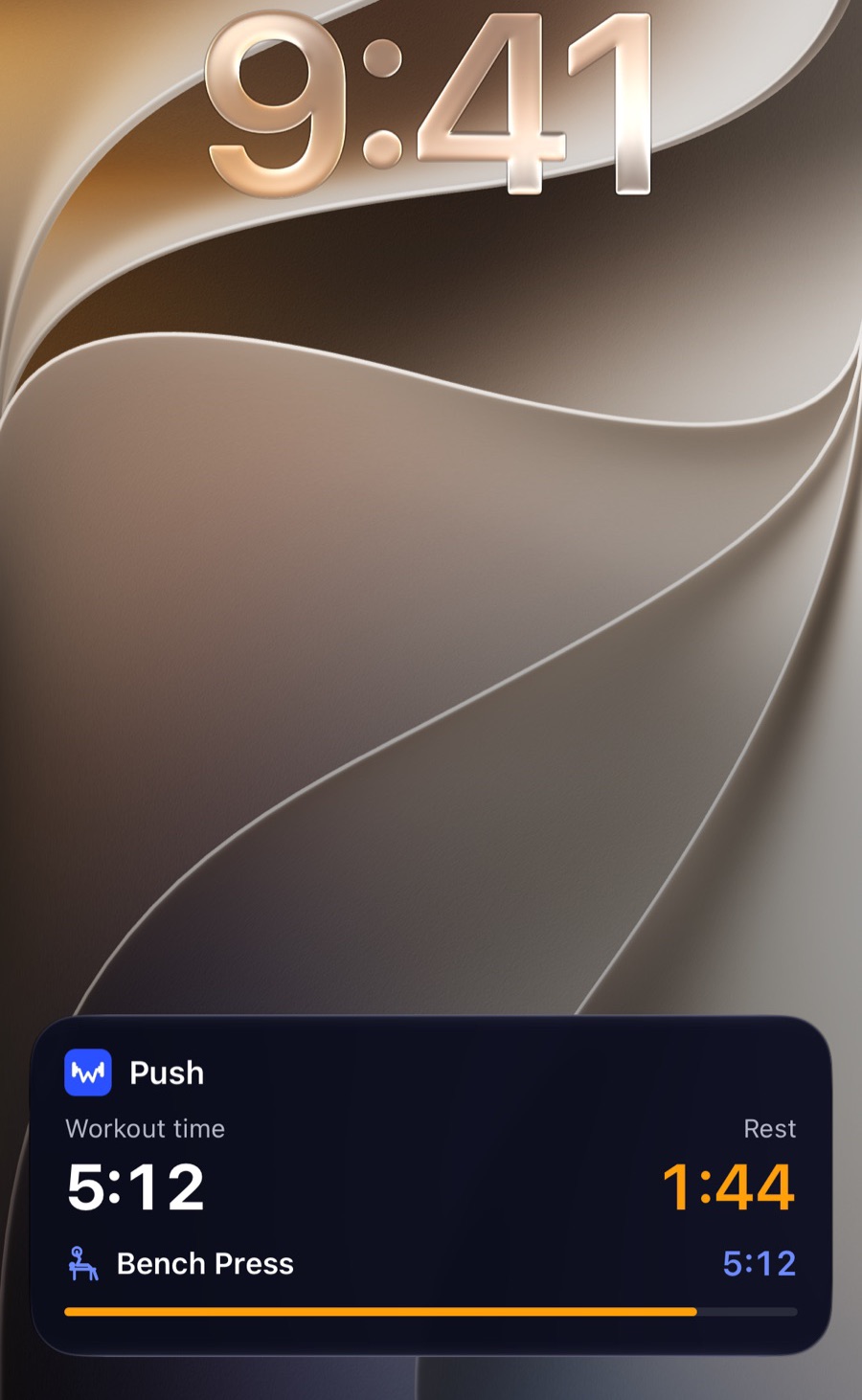
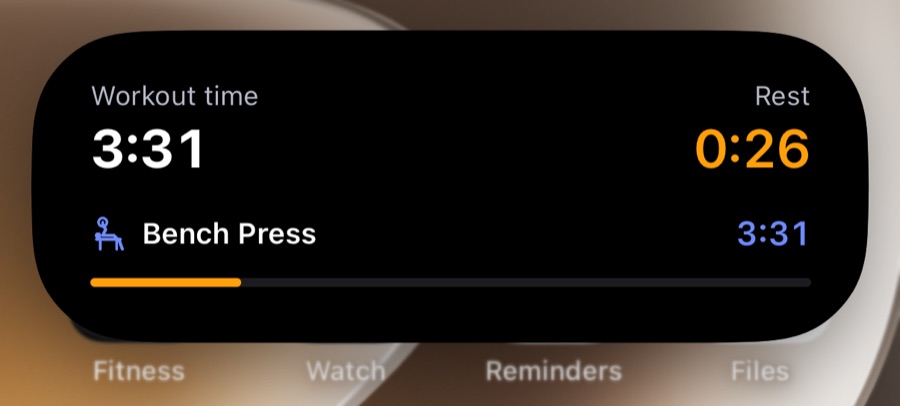
No need to open the app between sets. The Lock Screen and the Dynamic Island show your workout time, the exercise you are on and the rest countdown — and keep running while the phone sleeps.
On iPhone with iOS 16.4 or later. Dynamic Island on iPhone 14 Pro and newer.
Fits the way you train
Pick exercises as you go, or follow a plan with target sets and reps for every exercise.
Walk into the gym, open the app and add exercises as you do them. Over 400 exercises ready, filtered by muscle group and equipment. Name the workout and save it as your own plan to repeat it next time.
New to the gym? Answer a few questions about your goal and days per week and the app suggests a routine. Swap exercises or add sets — the original plan stays intact.
Progress
Every exercise has a chart of its heaviest set, workout by workout. When you finish, the app tells you if you just set a record.
Your data
Use it right away without an account. When you want a backup or to use more than one phone, sign in with Google — and delete it all whenever you like.
Every workout and your body profile (height, weight, goal) are saved on the phone as you log them.
Your Google account and workout history, for backup and sync across phones. Your body profile stays on the phone only.
Sign in with the same account and your history comes back. You can delete your account and its workout data from inside the app.
Note: until you sign in, your data lives only on the phone — deleting the app or losing the phone loses your history. Sign in once to have a backup. Details in the privacy policy.
For personal trainers
Clients log their workouts in W-orkout as usual. You see their workouts and progress, assign plans and manage session packages — on the web or right in the app.
Questions? Email contact@wujo.dev.
Pricing
Use every feature for 30 days, no account or card needed. After that, pick a plan to keep going — everything you logged stays.
$4.99 / month
Flexible, cancel any time.
$3.33 / month
Billed $39.99 a year.
FAQ
W-orkout is being polished. Early-access sign-ups will be invited to the beta (TestFlight on iPhone, internal testing on Google Play) before the public release.
The first 30 days are free with every feature: workout logging, plans, history and progress stats. After that, a plan of $4.99 a month or $39.99 a year keeps it going. Your history is always kept.
In the app through the App Store or Google Play: it renews automatically and you cancel any time in the store's subscriptions.
No. Open the app and train; your data is saved on the phone. Signing in (with Google or email) is needed for a backup, to use several phones, or to buy a plan — a plan belongs to your account.
Yes. The first time you sign in, the app moves the workouts on your phone into your account in batches. Each workout has its own ID, so a retry on a flaky connection does not create duplicates, and the phone’s copy is only linked to your account after the server confirms it received it.
Workouts sync between phones on the same account. If the same workout is edited on both, the latest edit wins.
English and Vietnamese. The app follows your phone’s language and you can switch in settings.
Sign in at trainer.wujo.dev and apply to be a trainer, attaching photos or PDFs of your certificates. Once approved, send your clients an invite link or QR code. They log workouts in the app as usual; you see their workouts, assign plans and manage session packages on the web or in the Clients tab of the app. Questions? Email contact@wujo.dev.
Leave your email to be invited to the early access on iPhone or Android.